
New images
The settings are in Red Jaguar Newsroom → Settings → Hidden data in photos.
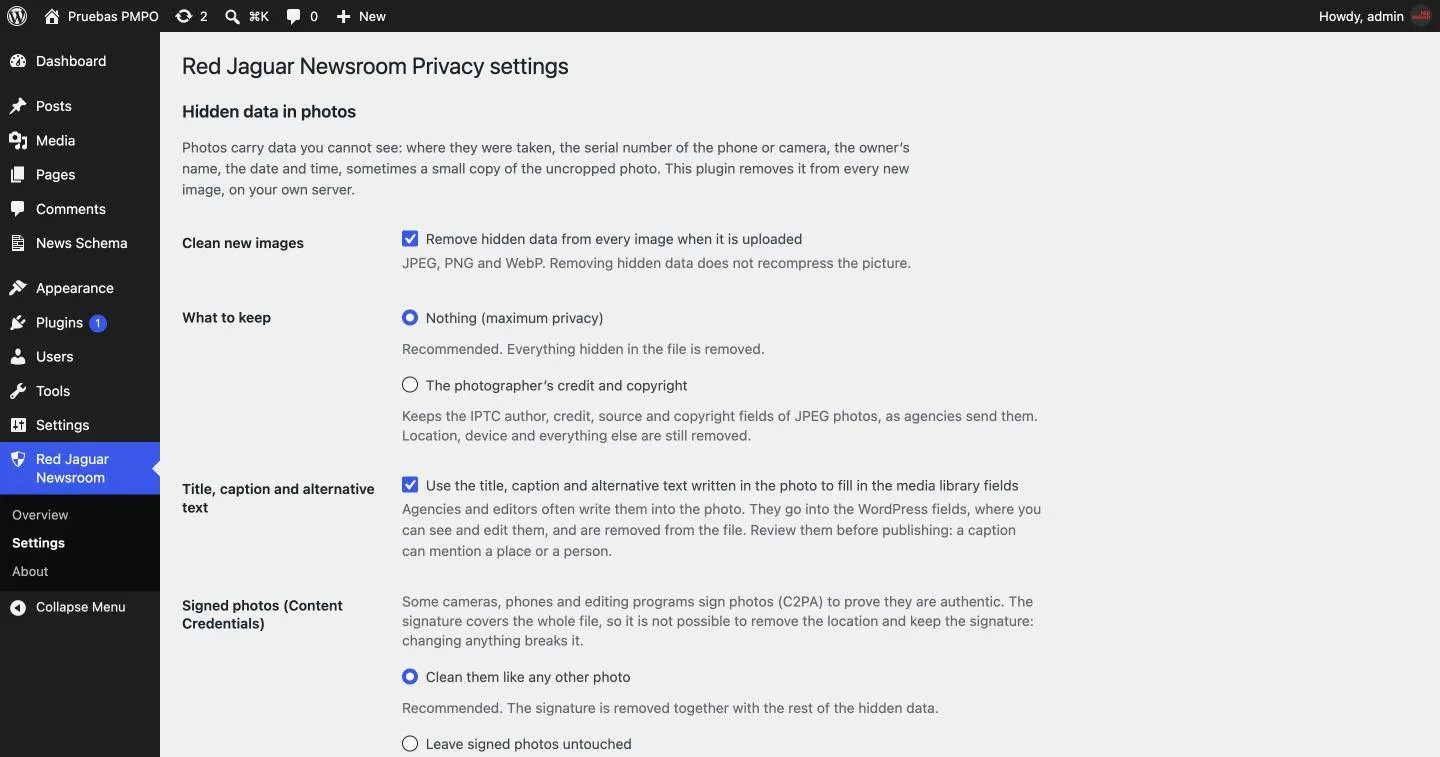
Clean new images
Section titled “Clean new images”Remove hidden data from every image when it is uploaded is on by default. It removes EXIF (with its thumbnail), XMP, IPTC, comments and anything appended after the picture, from JPEG, PNG and WebP files, before WordPress makes its sizes.
- Removing hidden data does not recompress the picture.
- Photos the phone saved rotated are straightened first, so they never show sideways.
- The fields WordPress copies from the photo into the database (camera, date and others) are emptied too.
It works with the block editor, the media library, the REST API, images added from a URL and WP-CLI.
What to keep
Section titled “What to keep”- Nothing (maximum privacy): recommended. Everything hidden in the file is removed.
- The photographer’s credit and copyright: keeps the IPTC author, credit, source and copyright fields of JPEG photos, as agencies send them. Location, device and everything else are still removed. Anyone who downloads the photo can read the author’s name.
Title, caption and alternative text
Section titled “Title, caption and alternative text”With Use the title, caption and alternative text written in the photo to fill in the media library fields, the texts agencies and editors write into photos go into the WordPress fields, where you can see and edit them, and are removed from the file.
Signed photos (Content Credentials)
Section titled “Signed photos (Content Credentials)”Some cameras, phones and editing programs sign photos (C2PA) to prove they are authentic. The signature covers the whole file, so it is not possible to remove the location and keep the signature.
- Clean them like any other photo: recommended. The signature is removed with the rest of the hidden data.
- Leave signed photos untouched: the signed file is kept as it is, with its valid signature and all its hidden data, including the location if it has it. The sizes WordPress creates for the page are still cleaned.
If an image cannot be cleaned
Section titled “If an image cannot be cleaned”Do not upload it is recommended. A damaged or unusual file could keep its hidden data; it is better to stop it and say why than to publish it. If you turn this off, the image is uploaded as it is.