
Readiness check
News Schema → Readiness check runs about 80 checks of what search engines look for in a news site, against the pages your site really publishes. It runs once a day by itself. Run it again with Check now after you fix something.
Reading the results
Section titled “Reading the results”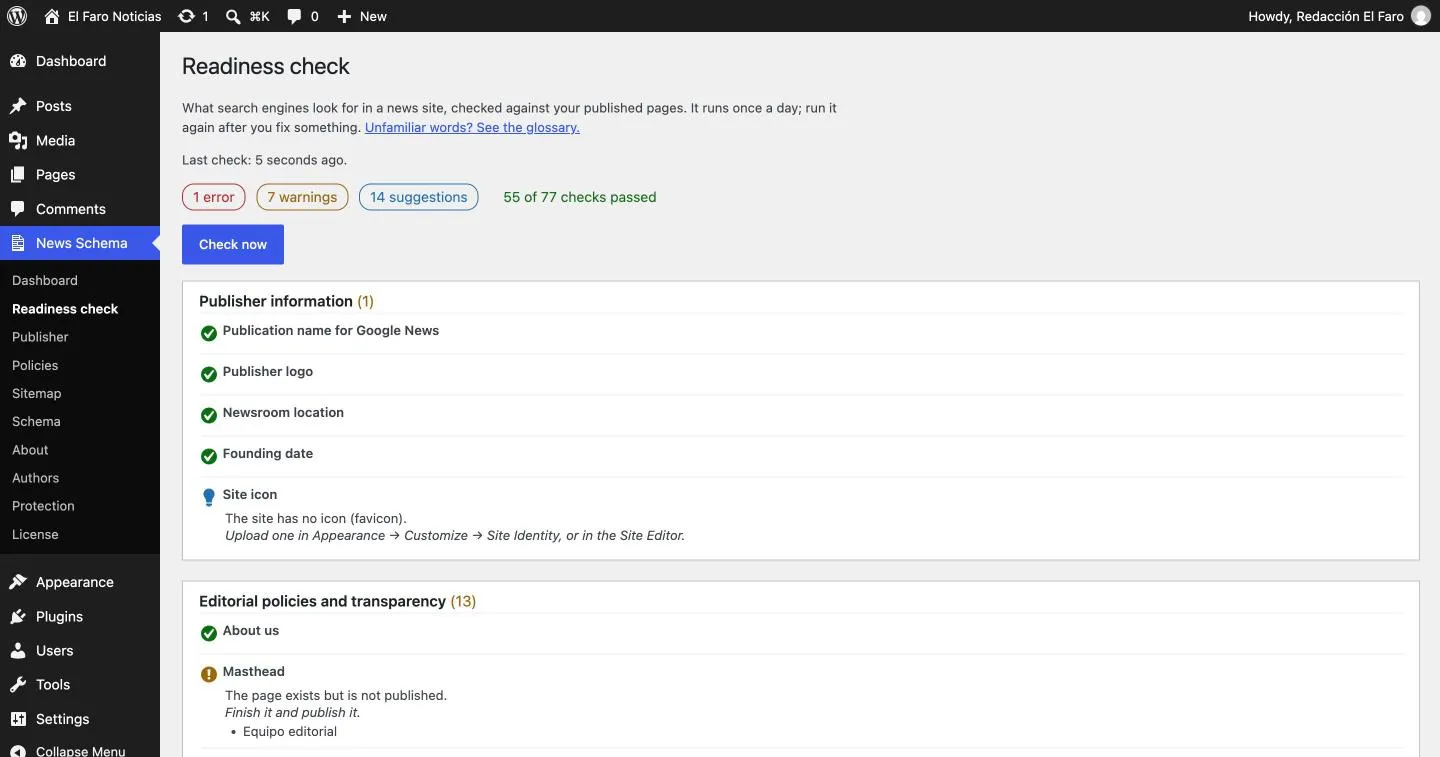
Each check is an error, a warning or a suggestion, and each one explains how to fix it, step by step. Start with the errors.
The checks are grouped in sections:
- Publisher information
- Editorial policies and transparency
- Authors
- Newsroom protection
- Articles
- Crawling and indexing
- Structured data
- News sitemap
- Security and performance
- Manual checks
Unfamiliar words? See the glossary. Every check, and where to fix it, is in the check reference.
Where else you see the results
Section titled “Where else you see the results”- News Schema → Dashboard: what is most important to fix, and the setup steps.
- The WordPress Dashboard: a box with the summary.
- Tools → Site Health: the errors appear with the other site checks.
Test copies
Section titled “Test copies”On a test copy (staging, development), being hidden from search engines or behind a password is expected. The plugin recognizes these copies and does not report it as a problem. Run the check again on the live site.
Manual checks
Section titled “Manual checks”Some things cannot be verified from WordPress, such as Google Search Console. The Manual checks section lists them. Check each one yourself and confirm it with Save manual checks. Each confirmation expires after six months, so you review it again.
| Check | What to confirm |
|---|---|
| Original and regular journalism | The site publishes its own reporting regularly, not only opinion, press releases or content copied from others. |
| Site verified in Search Console | The newsroom has owner access in Google Search Console, ideally as a domain property, from an account more than one person can use. |
| News sitemap submitted | The news sitemap is submitted in Search Console → Sitemaps and shows no errors. |
| Rich Results Test | A recent article passes Google’s Rich Results Test without errors. |
| Page speed | The home page and an article pass Core Web Vitals on mobile in PageSpeed Insights. |
| Content readable without walls | Articles can be read without registering, and the cookie banner does not hide the text. |
| Republished articles credited | Articles republished from other outlets link to the original and set it as canonical, or are excluded from the news sitemap. |
| Pseudonyms documented | If anyone writes under a pseudonym, the newsroom knows and has verified their identity, and the bylines policy explains it. |
| Legal details decided | The newsroom decided which legal details (company name, registration, address) it publishes, weighing transparency against the safety of the team. |
Email alerts
Section titled “Email alerts”At the bottom of the screen, check Email me when a new error appears. When the daily check finds an error that was not there the day before, such as a broken sitemap or a site hidden from Google, it sends an email. Only errors, once each. Warnings and suggestions stay on the screen.
- Send to: up to 5 addresses separated by commas. Empty: the administration email in Settings → General.
- Send a test email to make sure the site can send email. Many hosts need an SMTP plugin for WordPress to send email.
Test copies do not send alerts. The test email still works.