
Datasets
A dataset is one monitor: its fields, its records, its views and its forms. A site can have several.
Create a dataset
Section titled “Create a dataset”Go to Red Jaguar DataMaps → Datasets and fill in New dataset:
- Name and Country. Each dataset covers one country.
- Each record is a: the word for each record, singular and plural, as the site shows it (“28 cases”). You can change it later.
- Start with:
-
An empty dataset. You add the fields, or import a spreadsheet to create them.
-
A template, ready to use:
Monitors Other uses Femicide monitor Fan clubs Attacks on the press Public works and promises Socio-environmental conflicts Local businesses Internet shutdowns and digital incidents -
A structure exported from another site: the
.jsonfile from Settings → Export structure. It brings fields, settings, views and forms, without records.
-
With a template or a structure, you can check Show it working: it adds 6 fictional example records, downloads the boundaries of the country and creates a draft page with the views. The examples are marked and deleted in one click from Records → Delete example records.
Click Create dataset.
The tabs of a dataset
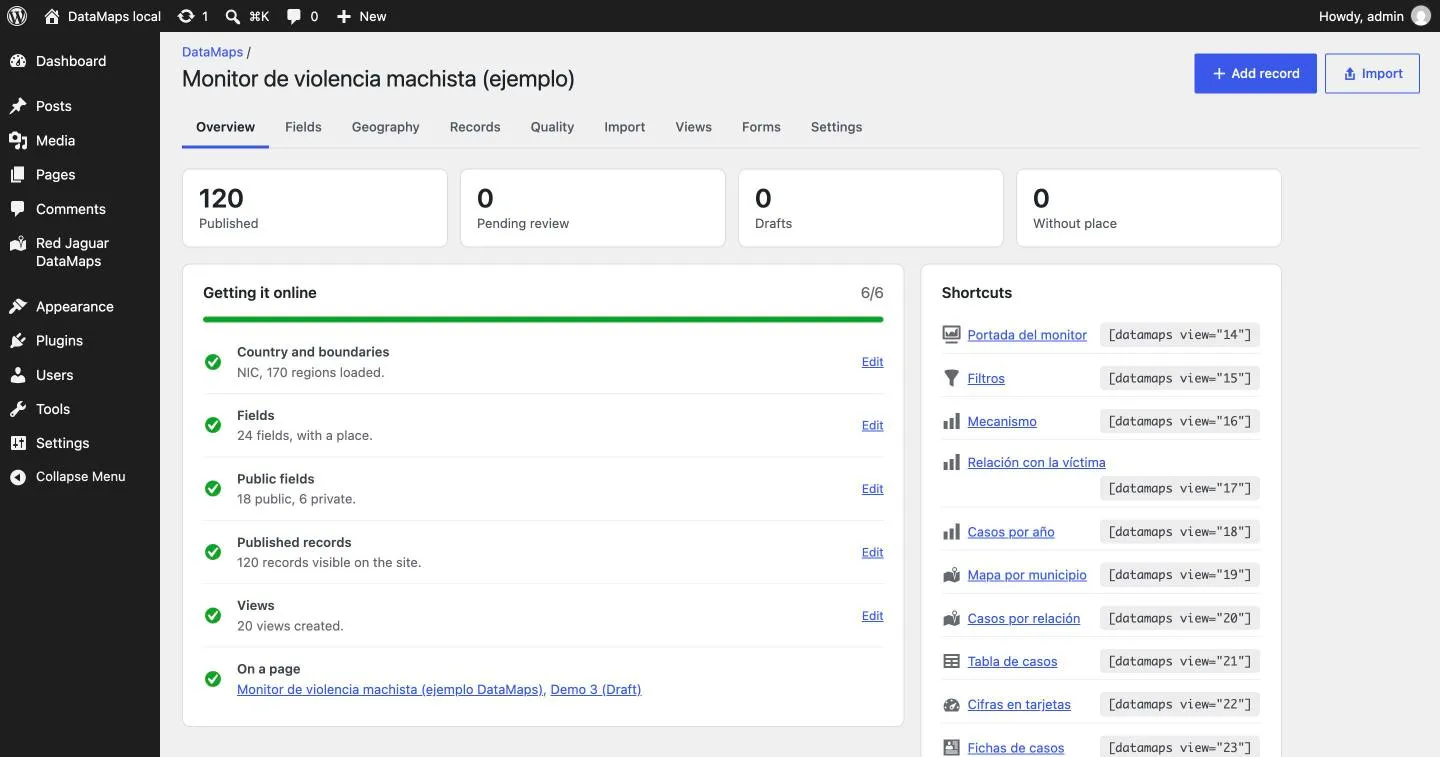
Section titled “The tabs of a dataset”They follow the order of the work: set up, fill, publish.
| Tab | What it is for |
|---|---|
| Overview | What is done and what is missing to get it online. |
| Fields | What each record holds, and what is public. See Fields. |
| Geography | The regions of the country, for the map. See Geography. |
| Records | The data. See Records. |
| Quality | Problems to fix. See Quality. |
| Import | Spreadsheets and Google Sheets. See Import. |
| Views | What is published. See Views. |
| Forms | Public forms. See Forms. |
| Settings | The options below. |
Fields, Geography, Views, Forms and Settings are only for administrators.
Settings
Section titled “Settings”- What each record is: singular and plural, used in figures and on the map.
- Date of each record: the field used for years, timelines and the year filter.
- Unique ID: imports update the record with the same ID instead of duplicating it.
- Precision on the map and Protection of small places: see Privacy and security.
- Source and Methodology: shown below the public views, with the date of the last update. The methodology is a link to the page that explains how the data is collected and verified.
- Open data: let visitors download the public data as CSV.
- Search engines: Describe this dataset for Google Dataset Search adds a description that search engines read, with a Public description and an optional License of the data. Nothing private.
- Team: who works on this dataset. See Team.
- Encryption of private fields: see Getting started.
At the bottom:
- Public data → See the file: the file public pages download. Only published records and public fields.
- Structure → Export structure (.json): to create the same monitor on another site.
- Delete dataset: deletes the dataset with all its fields, records, views and forms. Export it first. Type
DELETEto confirm.